ArcheAge World Major Update: New Interactive Databases, Builders, and Game Tools

ArcheAge World has just received its largest platform update yet, bringing the complete set of in-game systems from ArcheAge Chronicles directly to your browser. Every section has been redesigned with a full-screen interface inspired by the game menus so you can plan your builds, check recipes, and explore Auroria before stepping into the world.
Characters, Class Selector, and Stats Simulator
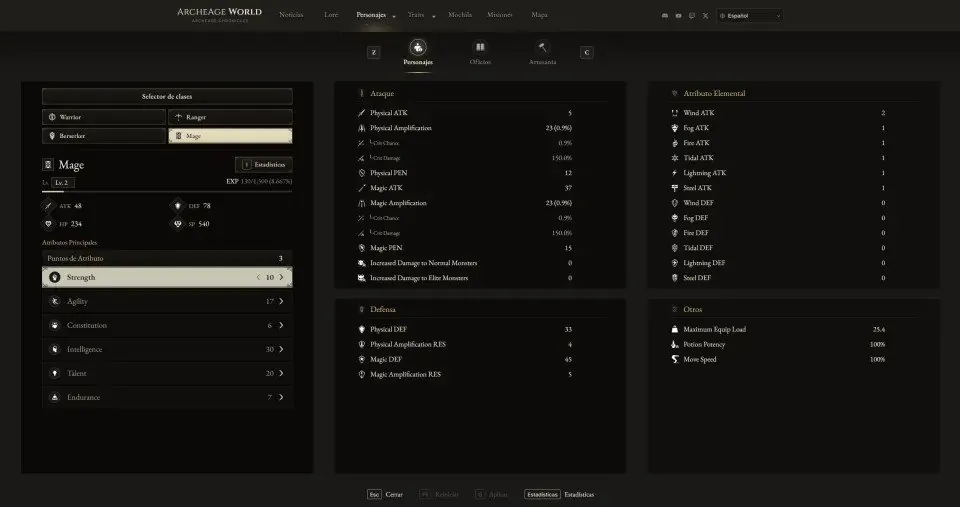
In the new Characters section, you can inspect the four playable classes—Warrior, Ranger, Berserker, and Mage—along with their combat roles, weapons, and in-depth class guides. Using the interactive attribute simulator, you can invest level points into Strength, Finesse, Intelligence, Vitality, and Spirit to see how each stat scales in real time, and open the side-by-side comparator to contrast any two classes.
Explore it here: https://archeageworld.com/en/characters.html
Proficiencies and Level Progression
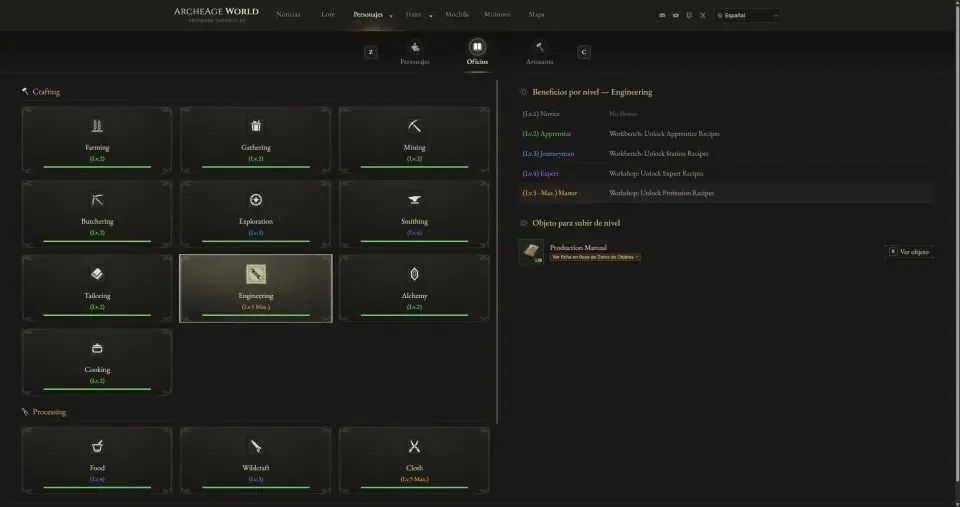
Connected directly via the top navigation bar, Proficiencies lets you browse every life skill across Hunting & Gathering, Processing, and Crafting from Level 1 up to Level 5 (Max.). You can check the unlocked skills per tier, required proficiency manuals, and every workstation where each trade operates.
Check Proficiencies: https://archeageworld.com/en/proficiencies.html
Crafting Stations and Recipe Calculator
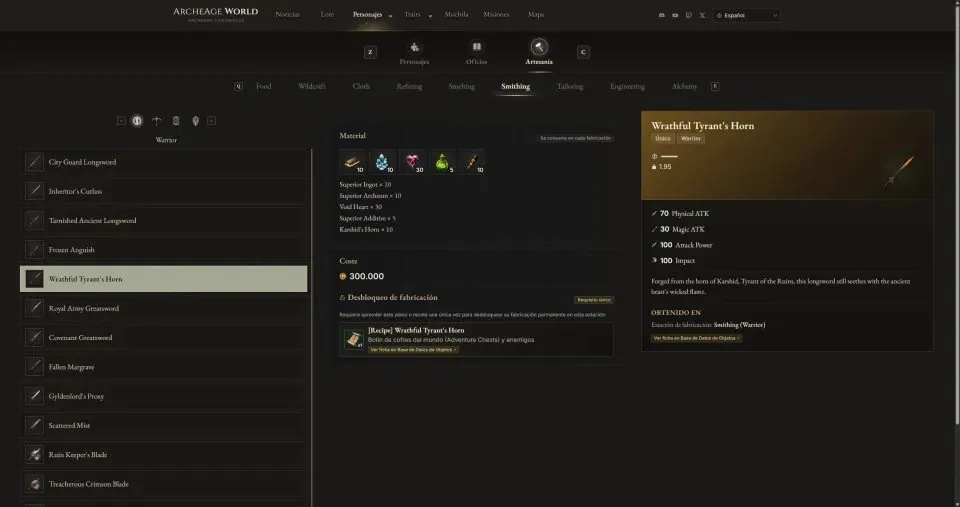
The new Crafting database covers all seven crafting stations—starting with Cooking (Food), Armor, Weapons, Potions, Furniture, High-Tier Gear, and Trade Packs. Select any recipe to inspect its resulting item stats, required station tier, and exact material quantities, with direct links to each ingredient.
Open the Crafting database: https://archeageworld.com/en/crafting.html
Weapon & Class Skill Trees (Traits)
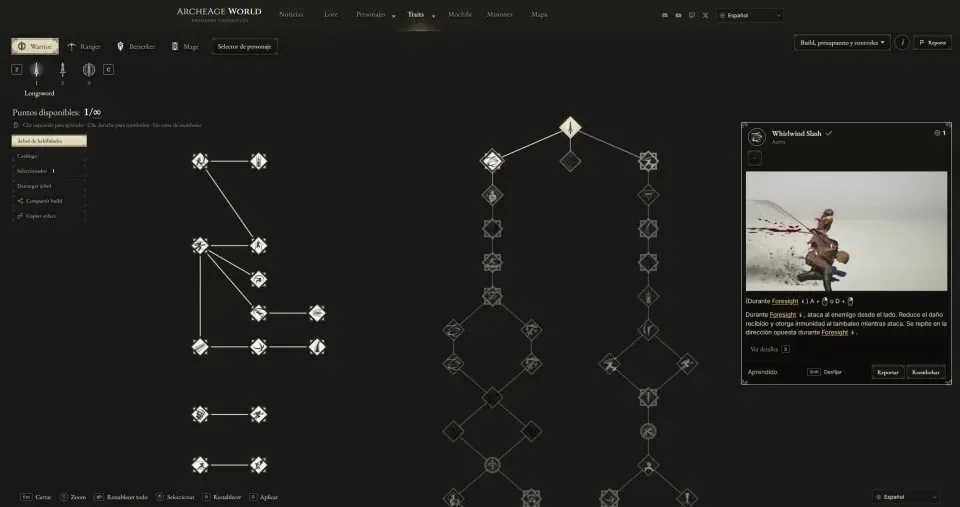
Our Traits planner includes both the interactive Traits Calculator and the full Traits Catalogue. You can experiment with active and passive nodes for every weapon and class, pin skill tooltips, and share your custom builds.
Try the Traits calculator: https://archeageworld.com/en/traits/
Backpack Item Database
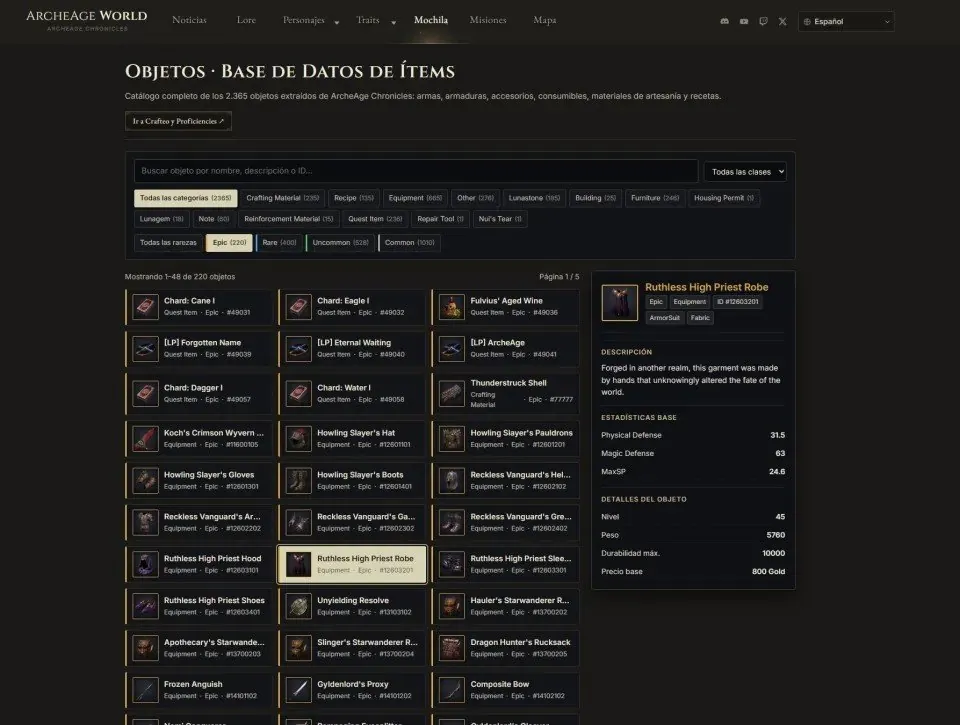
The Backpack serves as our complete item compendium. Filter equipment, weapons, consumables, crafting materials, and quest items by category or grade, and inspect where each object is obtained or used.
Browse the item database: https://archeageworld.com/en/objects.html
Full Quests Tracker
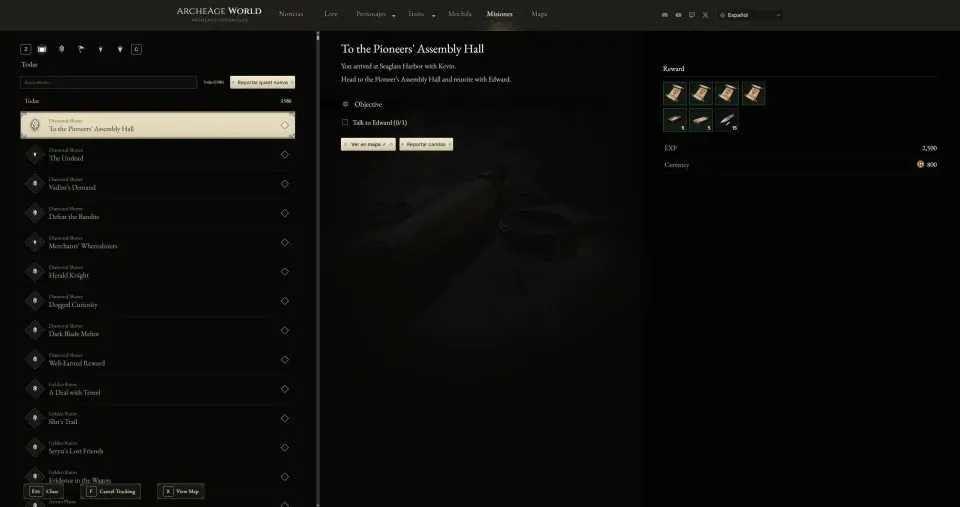
In Quests, you can browse all main story quests, side missions, and exploration objectives. Each quest entry details the step-by-step objectives, NPC dialogues, item rewards, and a direct button to locate the mission area on the world map.
View the Quests database: https://archeageworld.com/en/quests.html
Interactive Map with Gathering Nodes and Collectibles
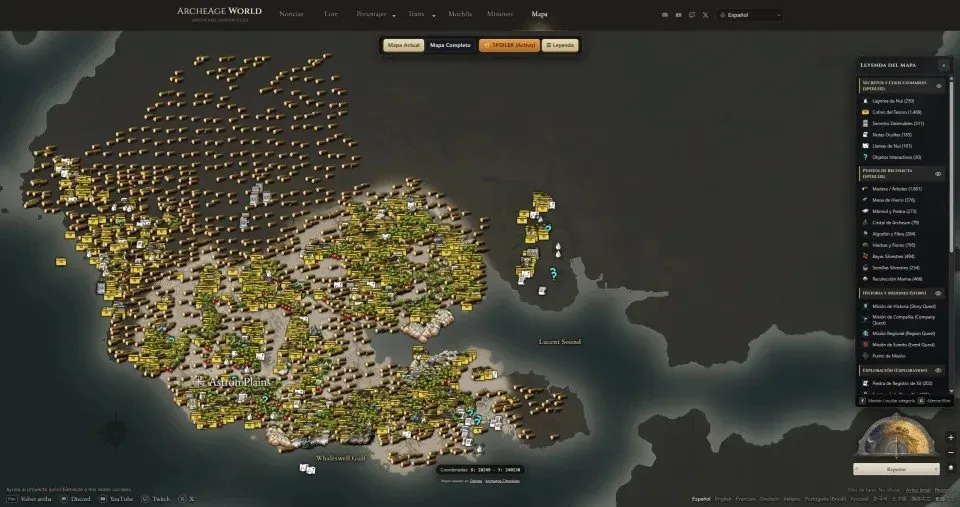
Finally, the Interactive Map now features blue mission area highlights and two optional spoiler layers at the top of the legend—Secrets & Collectibles and Gathering Nodes (wood, iron, marble, herbs, and more)—connected directly to the item database so you can reveal resource spots only when you want to see them.
Open the Interactive Map: https://archeageworld.com/en/map.html
News and Official Lore
Alongside these interactive tools, you can stay up to date in the News section and read the complete story chapters of Auroria in our Lore archive, all available in 11 languages.
Visit News: https://archeageworld.com/en/noticias.html | Lore: https://archeageworld.com/en/lore.html